Swogl
Swogl
Swing meets OpenGL
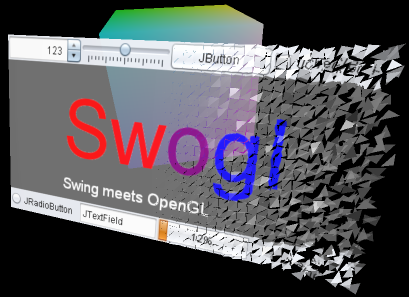 |
Swogl is a library for displaying and interacting with Swing components in 3D. It can be used to easily create standalone applications with Swing Components in 3D, or to integrate Swing components into existing applications. Nearly all sorts of Swing components can be used to create a
SwoglComponent, which is a three-dimensional
representation of the Swing component. A SwoglComponent may consist
of arbitrary geometry, and may be freely arranged in space. SwoglComponents
may be added to a SwoglContainer, which provides a
component for 3D rendering and manages the interaction with the SwoglComponents.
It may also arrange multiple SwoglComponents in space using 3D layout
managers.The current version of Swogl should be considered as an alpha version, and thus, the API of Swogl may still change!.
News:
-
2012-07-12: Swogl 0.4.0 is now available in the Downloads section
- Classes for configuring the light setup and materials have been added. It is now possible to create point lights, directional lights and spot lights inside a SwoglApplication, and to define the material properties of SwoglComponents. A sample showing the new classes has been added in the Samples section.
- New rendering backends for JOGL and LWJGL have been added, which use shaders instead of the fixed function pipeline.
- Some bugs have been fixed. See the change log for details.
Roadmap:
The following is a preliminary, non-binding list of issues that may be addressed with the next releases:
-
Augment the "Swogl Demos" classes to become an official part of the library
The Swogl Demos archive, which is contained in the download package, currently contains preliminary implementations that support the interaction with SwoglComponents and 3D layout managers. These classes will be generalized and become part of a "Swogl Desktop" library which supports the development of more complex, standalone Swogl desktop applications. -
Better support of animations
One part of the extensions for the Swogl Desktop library will be the implementation of classes that support animations. This refers to the definition of paths for the animation of SwoglComponents in 3D layouts as well as the animation of cameras and lights. -
Custom shaders
The shader-based rendering backends currently do not allow custom shader code to be used. The classes might be opened for extensions that allow the implementaion of special effects using custom shader programs. -
Double-sided SwoglComponents
Each SwoglComponent could optionally be double-sided, in order to show different Swing components on the front and the back of a SwoglComponent.
A bit of history:
A very early alpha version of Swogl had been published a while ago. With version 0.3.0, Swogl has been significantly extended and improved compared to the first release. The improvements addressed, among others, the issues that were brought up in the Swogl forum and through the feedback that I received via mail. The main improvements compared to the initial alpha release are:
-
Different rendering backends: The initial version of Swogl was only
intended to work with JOGL, and was tightly bound to the specific implementation
of JOGL. For the rendering in the new version of Swogl, different Java
bindings for OpenGL may be employed:
- JOGL, the Java Binding for the OpenGL from JogAmp: http://jogamp.org/jogl/www/.
- LWJGL, the Lightweight Java Game Library: http://www.lwjgl.org/.
-
Custom rendering: Originally, a Swogl application could only be used
to display SwoglComponents, and it was not possible to perform custom rendering
steps or render other scene elements. The refactoring for the new version of
Swogl also targeted a more universal applicability of Swogl. While it is still
possible to easily create a standalone Swogl application with a few lines of
code, the current implementation also offers classes that make it easier to
include the functionality of Swogl in existing applications.
-
Custom interaction: In the initial version of Swogl, specific ways
of controlling the SwoglComponents, camera and 3D layouts had been defined,
and it was not possible to modify the interaction in any way. The new version
provides a public interface for the camera, allows fine-grained control over
the processing of mouse events, and separates the actual functionality of the
3D layout managers from the way how they are controlled.